The schedule is due again this afternoon.
If tomorrow’s schedule still lives in Outlook and Excel beside MetaField or QESTField, you start the handoff over when a job moves.
For geotech, CMT & drilling operations
Without the Outlook + spreadsheet stack.
For the person paid to keep the week from falling apart. Get the request, the crew, and the rig on the same page — from the first inquiry to the field handoff.
Built with your ops team. Set up around your intake and your week.
See the work
Two short, silent product tours. Press play or scrub through the captions.
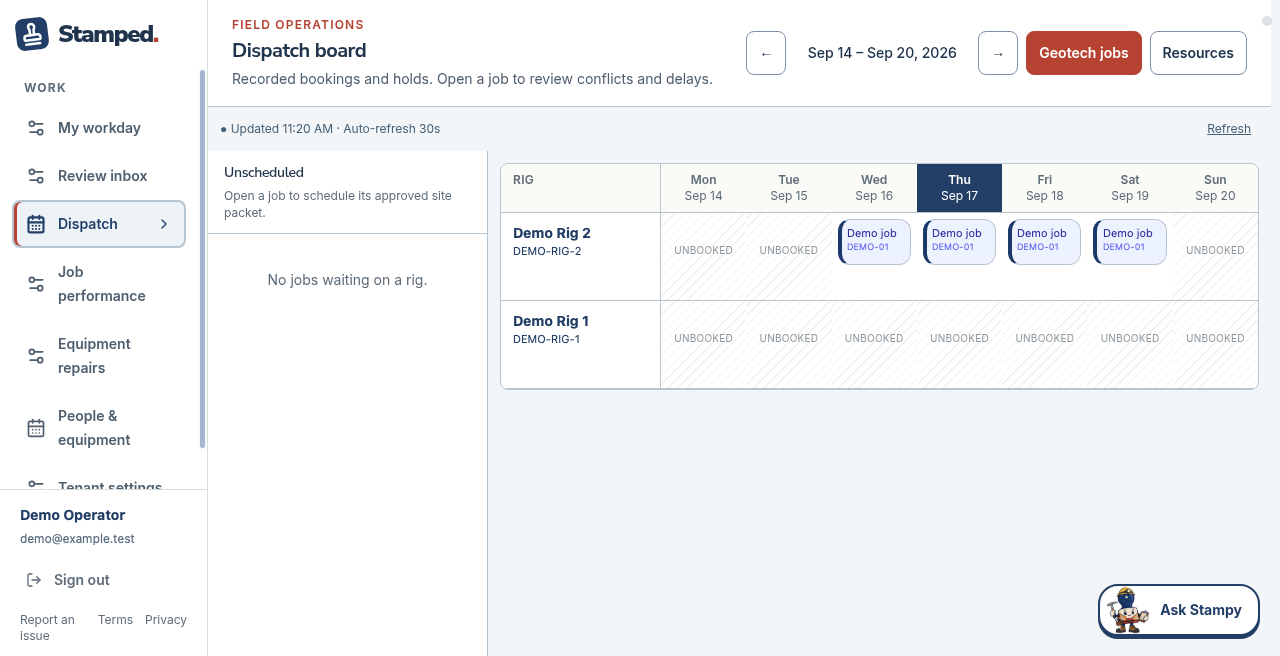
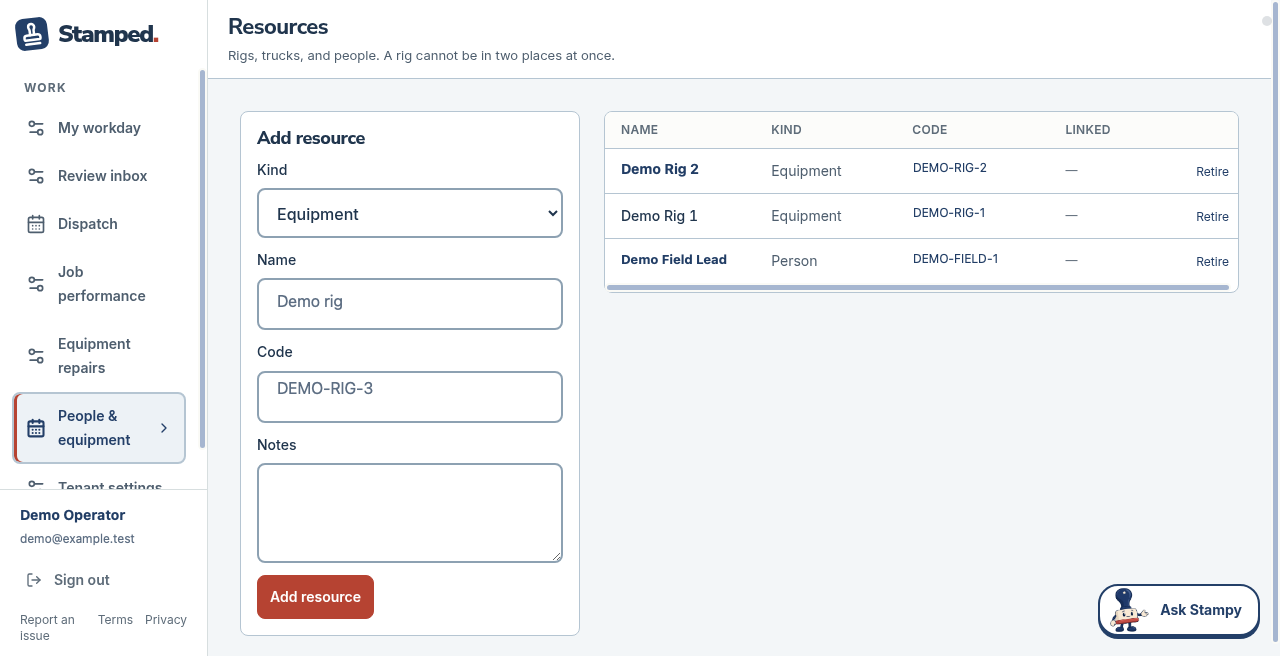
Read the week, check the rigs, and keep the people and equipment roster in view.
0:40 · Demo Client LLC
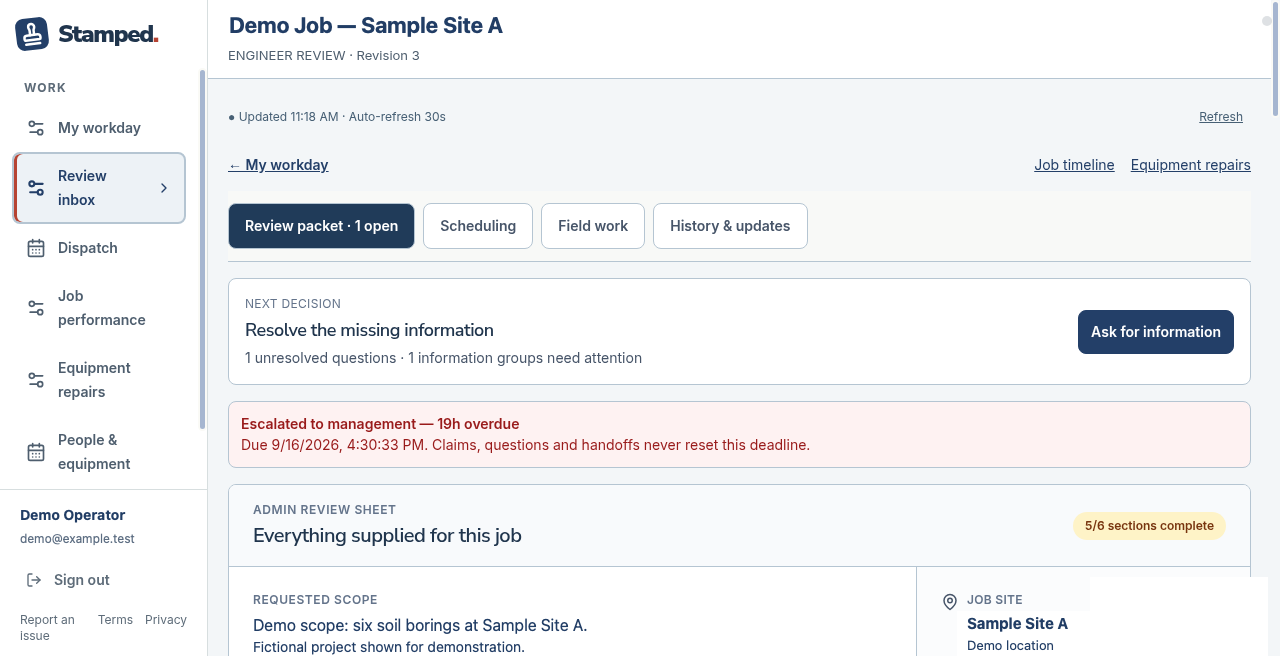
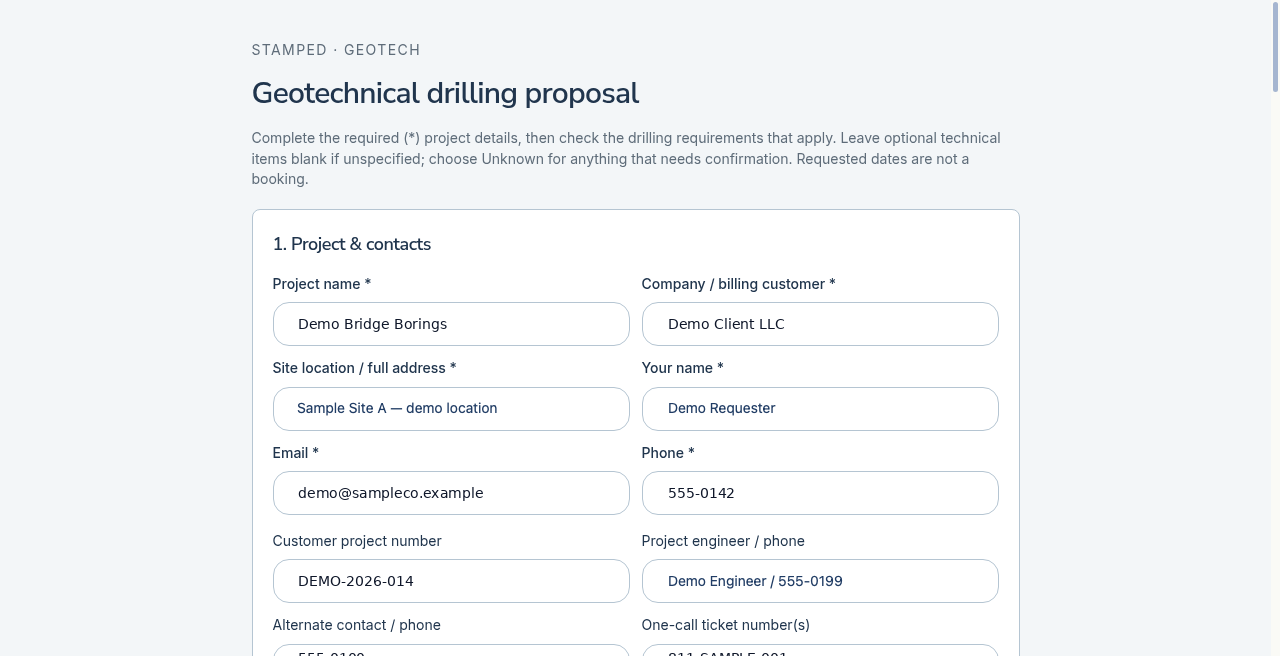
The request starts the record. Internal review makes the next action clear. Once approved, the job’s people and equipment can be booked on the dispatch board.
Captioned screenshot tours of Stamped. Identifying fields have been replaced with fictional demo labels; screens show example workflow states.
The day doesn’t end when the field crew leaves. There’s still tomorrow’s schedule to finish.
If tomorrow’s schedule still lives in Outlook and Excel beside MetaField or QESTField, you start the handoff over when a job moves.
Cylinder logs, certification matrices, and daily reports mean another round of chasing people for updates.
Proposal → job → crew → rig. Each step depends on someone forwarding the right details.
When the board isn’t the source of truth, the cost shows up in the field.
The office and field are working from different versions of what was promised and what got dispatched.
Common ops gripes
Stamped isn’t another field-report product. It gives ops a shared intake and week board so your people don’t have to be the integration layer.
If your current system already covers the whole handoff, keep it. This is for teams still coordinating the gaps by hand.
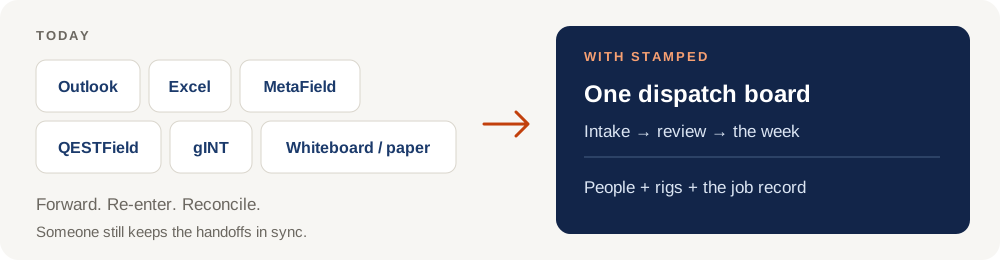
Today
Forward. Re-enter. Reconcile.
With Stamped
One dispatch board
Intake → review → the week
People + rigs + the job record
Stamped gives ops a shared record to run dispatch from, with clear ownership along the way.
Capture the customer and job, review the request internally, then book people and rigs or equipment on the week board.
Overlapping bookings for the same person or rig are blocked. A delay flags affected work for replanning.
Ops lead, dispatcher, engineer, field lead: we configure the workspace and permissions around who does the work.
Keep the request, review, schedule, and field updates together. The next person can see the context without a parallel calendar.
Two jobs can’t book the same resource for overlapping times. If a job slips, ops sees the affected commitments and replans the work.
We work with your team to make Stamped fit the way your operation runs.
We start with your intake, your week, your people, and your equipment. We configure the workflow and labels with your ops team.
Your team gets the access each role needs, with SSO if your organization has it.
Dispatch and handoffs move into the shared record. You stop maintaining a second version of the week in a spreadsheet.
Related guide
How to Schedule Drilling and Geotech Field Jobs with Less Standby Time →A step-by-step process for reducing standby and rescheduling, with or without Stamped.
Your company, roughly how many techs and rigs you coordinate, and the tools you use today — Excel, Outlook, MetaField, QESTField, gINT, or something else. Tell us where the handoff breaks.
Request a demo and quoteShare your details in a short form. We’ll confirm receipt and follow up.